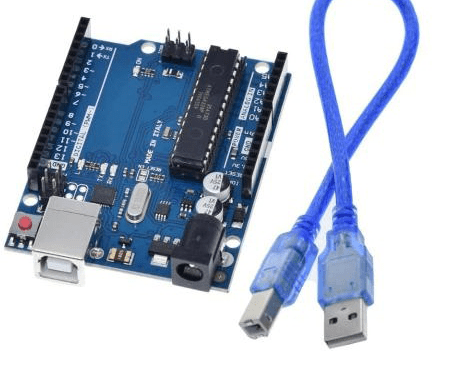
Arduino UNO R3 removable IC Chip with USB CABLE
Price:
The Arduino UNO R3 with a removable ATmega328P IC chip offers flexibility and ease of use for prototyping and project development. This board includes 14 digital I/O pins, 6 analog inputs, and a USB cable for seamless connection to your computer. The removable IC allows for chip replacement or standalone deployment, making it ideal for experimenting and reusing components. Perfect for beginners and experienced makers working on diverse electronics projects.
Added to Cart!
Need help or have questions about this product?
Contact STS Support →Product Description
Introducing the Arduino UNO R3 with a removable ATmega328P IC chip, designed for maximum flexibility and ease of use in various Arduino projects. This board is perfect for prototyping, testing, and educational projects, providing a seamless way to customize your designs and make adjustments as needed. The removable IC chip allows for easy upgrades, replacements, or standalone deployment, making it ideal for experimenting and reusing components.
The Arduino UNO R3 is a popular choice among makers and developers due to its wide range of features and compatibility with various shields and accessories. With its standard Arduino UNO form factor, this board is compatible with a vast array of shields and accessories, making it easy to expand and customize your projects.
The key features of the Arduino UNO R3 with a removable IC chip include a removable ATmega328P microcontroller, standard Arduino UNO form factor, USB interface for simple programming and connectivity, and wide support across Arduino IDE and third-party platforms.
Here are the specifications of the Arduino UNO R3 with a removable IC chip:
- Condition: New
- Model Number: UNO REV3
- Application: Computer
- Operating Temperature: -5-40°C
- Supply Voltage: 7-12 V
- is_customized: Yes
- Microcontroller: ATmega328P IC
- Operating Voltage: 5 V
- Input Voltage: 7-12 V
- PWN Digital/O Pins: 6
- Analog Input Pins: 6
- DC Current per I/O Pin: 20 mA
- DC Current For 3.3V Pin: 50 mA
- SRAM: 2 KB
- EEPROM: 1 KB
- Clock Speed: 16 Mhz
The Arduino UNO R3 with a removable IC chip has a wide range of applications, including:
- Smart Home Automation System: Use the Arduino UNO to control lighting, temperature, and appliances in your home.
- Weather Monitoring Station: Create a DIY weather station that monitors temperature, humidity, and atmospheric pressure using sensors.
- Remote-Controlled Robot: Build a simple robot that can be controlled via Bluetooth or Wi-Fi.
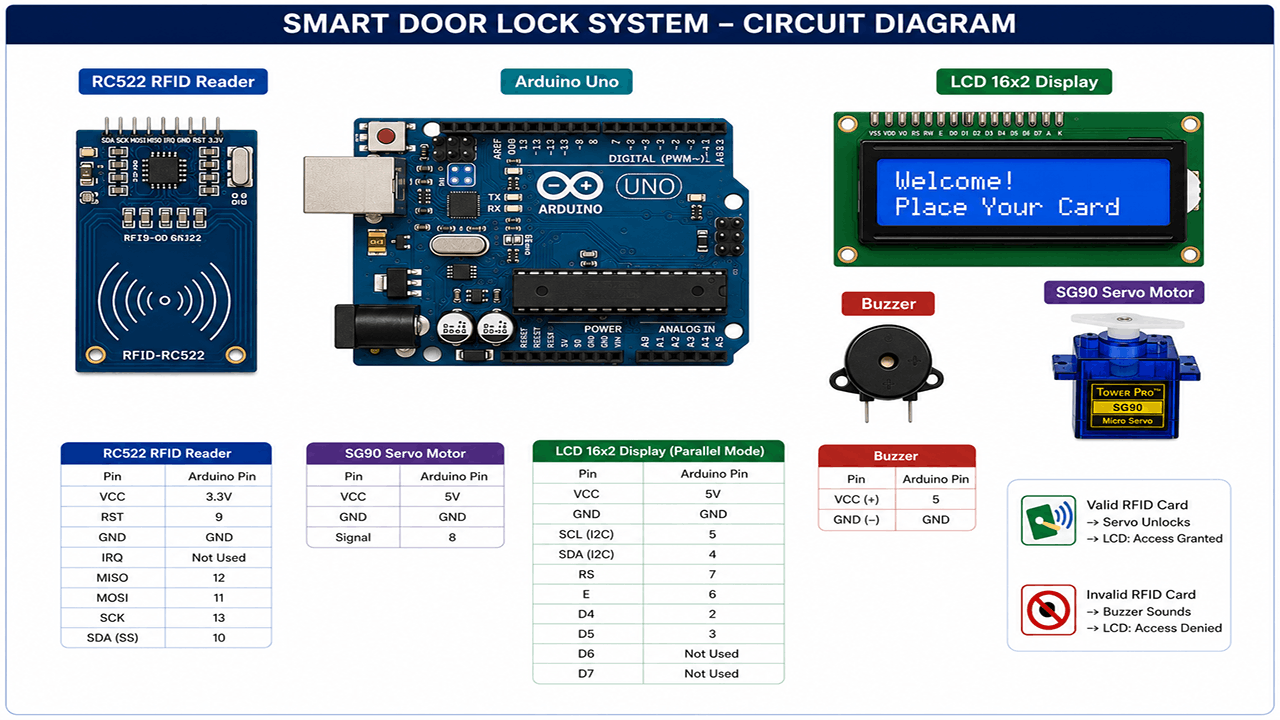
- Security System with RFID Access: Develop a security system using an RFID module to grant access to authorized users.
- Interactive LED Display: Use the Arduino UNO to control an LED matrix display for animations, text scrolling, or lighting effects.
- Automated Plant Watering System: Create a smart gardening system that automatically waters plants based on soil moisture levels.
- 3D Printer Controller: Use the Arduino UNO with a removable IC to control the movement and temperature in a DIY 3D printer.
- IoT Data Logger: Combine the Arduino UNO with a Wi-Fi module to create a system that logs data from sensors and uploads it to an IoT platform for remote monitoring and analysis.
The package includes the Arduino Uno Board and a USB Cable, providing everything you need to get started with your projects.
Why Buy from SoftTech Supply?
- Genuine electronic components from trusted suppliers
- Competitive prices on Arduino, Raspberry Pi, sensors & more
- Fast delivery across Kigali and Rwanda
- Expert technical support and project consultation
- Easy returns and quality guarantee
Related Products
Recently Viewed

Related Tutorials
You can buy Arduino UNO R3 removable IC Chip with USB CABLE at STS - Kigali, Rwanda or we delivery to you
This product is available at SoftTech Supply, your trusted electronics shop in Kigali, Rwanda. We stock genuine electronic components including Arduino boards, Raspberry Pi, ESP32, ESP8266, various sensors, motors, displays, and thousands of other components for your IoT, embedded systems, and electronics projects. Visit our shop or order online for fast delivery across Rwanda. Need help selecting components or implementing your project? Contact STS for expert technical support and consultation.